Meaning in iPhone Texts: Slang, Emojis, and Message Symbols Explained
Quick Answer: Meaning in iPhone Texts refers to the abbreviations, slang, emojis, reactions, and message-status indicators used in Apple’s Messages app. LOL means “laugh out loud,” SMH means “shaking my head,” blue bubbles indicate iMessage, and green bubbles indicate RCS, SMS, or MMS. Labels such as Delivered and Read explain message status, while emojis and Tapbacks communicate reactions.
A short iPhone text can contain more meaning than its words suggest. Someone might reply with “LOL,” send a single heart emoji, or react with a thumbs-up. Meanwhile, your iPhone may display labels such as Delivered, Read, or Sent as Text Message beneath the conversation.
Understanding the Meaning in iPhone Texts requires separating two things: what a person is communicating and what the Messages app is reporting. The first involves language and emotion. The second involves messaging technology, delivery status, and device settings.
This guide explains both, with practical examples, abbreviation tables, emoji interpretations, and troubleshooting instructions for common iPhone messaging problems.
Meaning in iPhone Texts: What Does It Actually Refer To?
Meaning in iPhone Texts generally refers to the interpretation of words, symbols, abbreviations, and visual indicators that appear in an iPhone conversation.
These elements fall into three main categories:
- Texting language: Abbreviations such as LOL, BRB, IDK, and SMH shorten common expressions.
- Emotional expressions: Emojis, punctuation, and Tapback reactions communicate feelings, attitudes, or responses.
- Message indicators: Bubble colors, delivery labels, typing indicators, and error symbols describe how Messages is functioning.
These categories serve different purposes. A heart emoji usually communicates affection or appreciation, while the word Delivered is a technical status indicator. Confusing the two can lead to unnecessary misunderstandings.
Quick Guide to iPhone Text Symbols and Meanings
| Text or Indicator | Meaning | What You Should Know |
|---|---|---|
| LOL | Laugh out loud | Expresses amusement or softens a casual response. |
| SMH | Shaking my head | Usually communicates disbelief, frustration, or disappointment. |
| ❤️ | Love or affection | Can also express support, appreciation, or enthusiasm. |
| 😂 | Laughing intensely | Often signals that something is extremely funny. |
| Blue bubble | iMessage | The message uses Apple’s iMessage service. |
| Green bubble | RCS, SMS, or MMS | The message is not being sent through iMessage. |
| Delivered | Delivery confirmed | Does not establish that the recipient has read the message. |
| Read | Message opened | Appears when supported read receipts are available and enabled. |
| Sent as Text Message | SMS fallback | An attempted iMessage was sent through ordinary text messaging instead. |
| Not Delivered | Sending or delivery failed | Check your connection and retry. |
| Typing dots | Someone is composing a message | Available in supported conversations. |
| Thumbs-up reaction | Approval or acknowledgment | Usually means agreement, thanks, or confirmation. |
The important distinction is that slang communicates a person’s intended message, while status indicators communicate information about the messaging system.
Common iPhone Text Message Abbreviations and Their Meanings
iPhone text message abbreviations are shortened expressions people use to communicate quickly. They are not exclusive to Apple devices. Most also appear on Android phones, WhatsApp, Snapchat, Instagram, and other messaging platforms.
Some abbreviations have clear, established definitions. Others depend on the surrounding conversation, the sender’s habits, and the intended tone.
Common Texting Abbreviations and Meanings
| Abbreviation | Full Meaning | Example in a Text |
|---|---|---|
| LOL | Laugh Out Loud | “That video was hilarious LOL.” |
| BRB | Be Right Back | “BRB, someone’s at the door.” |
| BTW | By The Way | “BTW, I finished the project.” |
| IDK | I Don’t Know | “IDK what time they’re arriving.” |
| IMO | In My Opinion | “IMO, the first option is better.” |
| IMHO | In My Humble Opinion | “IMHO, we should leave earlier.” |
| TBH | To Be Honest | “TBH, I wasn’t expecting that.” |
| SMH | Shaking My Head | “You forgot again? SMH.” |
| TTYL | Talk To You Later | “I’m heading out. TTYL!” |
| OMG | Oh My God | “OMG, that’s incredible!” |
| FYI | For Your Information | “FYI, the meeting moved to noon.” |
| RN | Right Now | “I’m busy RN.” |
| IKR | I Know, Right? | “IKR! That was surprising.” |
| NVM | Never Mind | “NVM, I found the answer.” |
| OMW | On My Way | “OMW, see you soon.” |
| IRL | In Real Life | “We’ve never met IRL.” |
| WYD | What You Doing? | “Hey, WYD tonight?” |
| HMU | Hit Me Up | “HMU when you’re free.” |
| FR | For Real | “FR, that was amazing.” |
| NGL | Not Gonna Lie | “NGL, I really liked it.” |
| FOMO | Fear Of Missing Out | “I’m getting FOMO from those photos.” |
| GOAT | Greatest Of All Time | “She’s the GOAT at that game.” |
| ICYMI | In Case You Missed It | “ICYMI, the schedule changed.” |
| FWIW | For What It’s Worth | “FWIW, I think you made the right choice.” |
| TL;DR | Too Long; Didn’t Read | “TL;DR: We need more time.” |
| TY | Thank You | “TY for helping me!” |
| NP | No Problem | “NP, happy to help.” |
| ASAP | As Soon As Possible | “Please call me ASAP.” |
This list covers common texting abbreviations and meanings, but it is not a universal dictionary. Friends sometimes invent shorthand, and a familiar abbreviation can have a different meaning in a specialized conversation.
What Does LOL Mean in Text?
LOL stands for “Laugh Out Loud.” It generally indicates amusement, although the sender does not necessarily have to be laughing.
Consider these examples:
- “You actually fell asleep during the movie? LOL!” expresses amusement.
- “LOL, I completely forgot about that.” makes an admission sound lighter.
- “Sure, LOL.” might be playful, awkward, or sarcastic depending on the conversation.
LOL can therefore function as both a reaction and a tone-softening expression. Its basic definition is also recognized by Merriam-Webster.
What Does SMH Mean in iPhone Texting Slang?
SMH means “Shaking My Head.” It commonly expresses disbelief, annoyance, disappointment, or mild criticism.
For example, “He left his keys in the car again. SMH” suggests that the sender finds the behavior frustrating or ridiculous.
However, “SMH 😂” between close friends may represent playful teasing rather than genuine anger. The emoji and relationship can change the tone.
Similar-looking abbreviations are not necessarily interchangeable. For instance, SH has several context-dependent interpretations, which are explained in our SH Meaning in Text guide.
Does iPhone Texting Slang Change Across Platforms?
Most widely used abbreviations keep their basic meanings across messaging platforms. LOL usually means the same thing in iMessage, WhatsApp, and Instagram.
However, context and community conventions can affect how an expression is understood. An abbreviation used by a gaming group may be unfamiliar to someone who primarily uses texting for work.
Do not assume every new or unusual acronym has a universally accepted definition.
Blue vs Green Bubbles on iPhone: What Is the Difference?
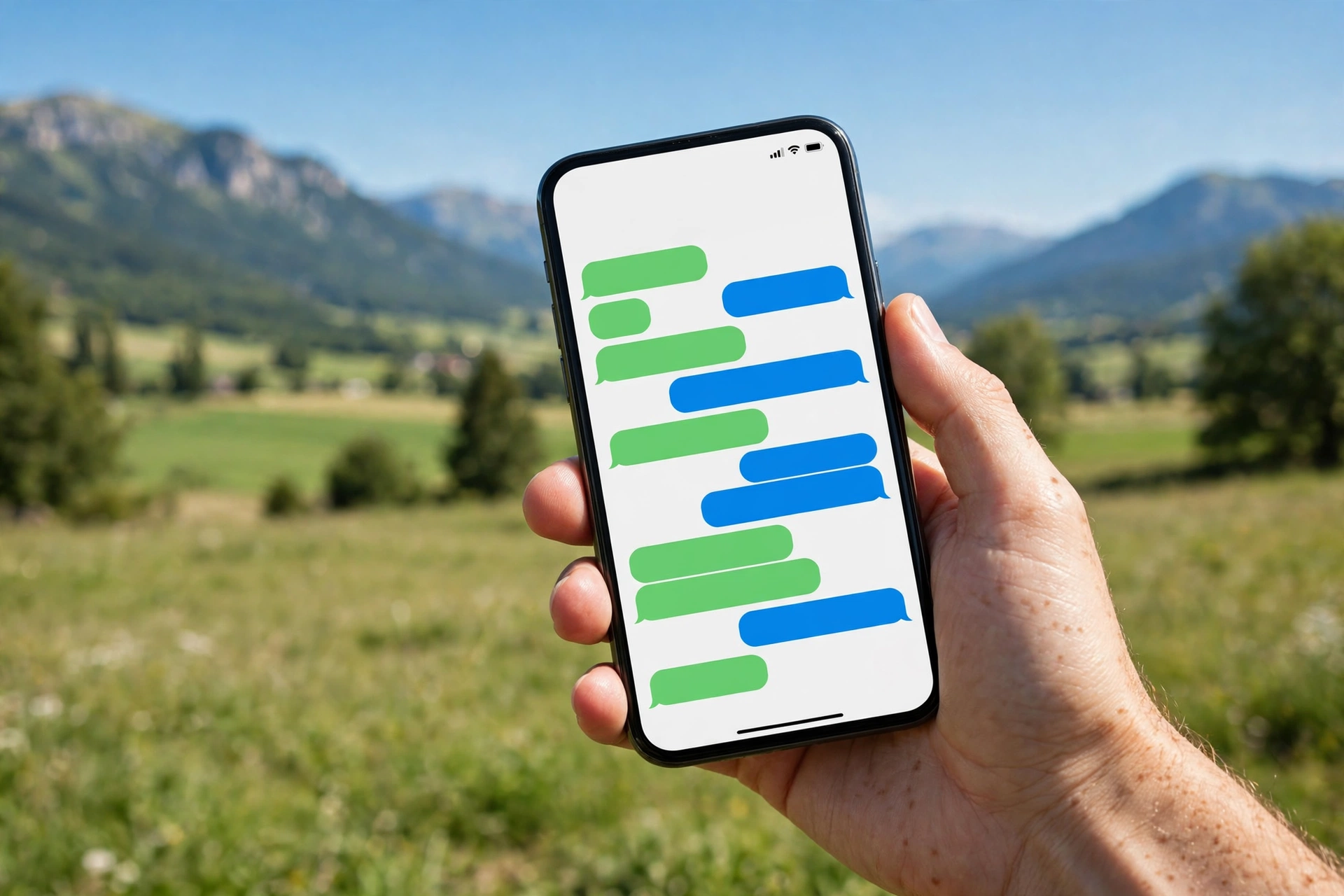
Blue message bubbles indicate iMessage. Green message bubbles indicate RCS, SMS, or MMS messaging.
This distinction tells you which messaging service is being used. It does not reveal whether someone likes you, is ignoring you, or has blocked your number.
What Does a Blue Bubble Mean?
A blue bubble means the message uses iMessage, Apple’s internet-based messaging service.
iMessage works over Wi-Fi or cellular data when the participants have compatible Apple devices and iMessage is available.
Features include:
- Delivery and read receipts.
- Typing indicators.
- Emoji and Tapback reactions.
- Message effects and rich media sharing.
- End-to-end encryption.
A blue bubble identifies the messaging service, not the delivery outcome. You still need to examine the message-status label to determine whether delivery or reading has been confirmed.
What Does a Green Bubble Mean?
A green bubble indicates that Messages is using a service other than iMessage. That service may be RCS, SMS, or MMS.
Common reasons include:
- The recipient is using a device without iMessage.
- iMessage is disabled on one of the devices.
- iMessage is temporarily unavailable.
- A messaging configuration or connectivity problem requires an alternative service.
Importantly, green does not automatically mean Android. Apple confirms that RCS, SMS, and MMS all appear in green bubbles. See its official explanation of why iPhone messages turn green.
iMessage vs SMS Meaning: Where Does RCS Fit?
Understanding iMessage vs SMS meaning is easier when RCS and MMS are included in the comparison.
| Feature | iMessage | RCS | SMS/MMS |
|---|---|---|---|
| Bubble color | Blue | Green | Green |
| Main service | Apple messaging | Carrier-supported rich messaging | Traditional carrier messaging |
| Connection | Wi-Fi or cellular data | Wi-Fi or cellular data | Cellular service, with some carrier-supported Wi-Fi options |
| Read receipts | Supported | Supported when available | Not a standard iPhone SMS/MMS feature |
| Typing indicators | Supported | Supported when available | Not supported in ordinary SMS/MMS |
| Photos and videos | Rich media support | Rich media support | MMS supports attachments with carrier limitations |
| End-to-end encryption | Yes | Available in supported encrypted RCS conversations | No |
RCS stands for Rich Communication Services. It adds features such as read receipts, typing indicators, and richer media sharing to supported conversations that do not use iMessage.
RCS availability depends on the iPhone software, carrier, and recipient’s messaging support. End-to-end encryption for RCS also depends on compatible services and participants; it is not guaranteed for every green-bubble conversation.
Apple maintains an official comparison of iMessage, RCS, and SMS/MMS with current feature details.
What Do Delivered, Read, and Sent as Text Message Mean?
The words beneath an iPhone message describe its technical status. They should not be interpreted as proof of the recipient’s intentions.
What Does Delivered Mean on iPhone?
Delivered means the messaging service has confirmed delivery of your message. It does not mean the recipient has opened or read it.
For example, you send “Are we still meeting at six?” and see Delivered beneath the bubble. The message has reached the delivery-confirmed state, but the person may not have checked the conversation.
For iMessage, Delivered and Read are separate status labels. Supported RCS conversations also provide delivery information.
There are several reasons a message may remain marked Delivered:
- The recipient has not opened it.
- The recipient has disabled read receipts.
- The conversation does not provide an available read confirmation.
Delivered alone cannot tell you why someone has not responded.
What Does Read Mean on iPhone?
Read indicates that the recipient has opened the message in a conversation that supports and provides read receipts.
In iMessage, the sender typically sees Read when the recipient has opened the message and enabled the relevant read-receipt setting.
Supported RCS conversations can also provide read confirmations, although their behavior depends on the participating devices and services.
A Read label does not guarantee that the recipient carefully studied every word or intends to reply immediately.
iPhone Read Receipts Meaning and How to Change Them
Read receipts are notifications that tell another person when you have opened their message.
To manage your iMessage read receipts:
- Open the Settings app.
- Tap Apps.
- Select Messages.
- Turn Send Read Receipts on or off.
You can also open an individual iMessage conversation, tap the contact’s name or icon, and adjust Send Read Receipts for that person.
These settings control the read information you share. You cannot force another person to enable their own read receipts.
For exact instructions, see Apple’s read receipts guide.
Sent as a Text Message Meaning on iPhone
Sent as Text Message usually means your iPhone attempted to use iMessage but sent the communication through SMS instead.
This may happen when iMessage cannot complete the delivery and the iPhone uses its text-message fallback option.
The message may then appear in a green bubble. Normal iMessage read-receipt features do not apply to an ordinary SMS message.
Do not confuse the Sent as Text Message status with proof that someone blocked you. A temporary connectivity issue or unavailable iMessage service can also explain it.
On supported iPhone settings, you can find the fallback option under Settings > Apps > Messages > Send as Text Message.
Not Delivered iPhone Meaning: What Went Wrong?
Not Delivered means the iPhone was unable to complete the message delivery attempt. It is commonly accompanied by a red exclamation-point symbol.
Possible causes include a poor connection, a temporary service problem, incorrect recipient information, or an issue with the messaging service.
If you see Not Delivered:
- Check whether your internet or cellular connection is working.
- Tap the red exclamation-point symbol beside the message.
- Select Try Again.
- If appropriate and available, select Send as Text Message.
- If the problem continues, check your Messages settings and contact your carrier when necessary.
Apple provides further instructions in its message sending and receiving troubleshooting guide.
A failed delivery attempt is not reliable evidence that the recipient has blocked you.
iPhone Message Symbols Meaning: Icons, Labels, and Indicators
Apple’s Messages app uses several indicators to communicate message status and conversation activity. Understanding these text message symbols and meanings helps distinguish ordinary app behavior from actual problems.
| Symbol or Indicator | What It Means |
|---|---|
| Blue Send arrow | The message is set to use iMessage. |
| Green Send arrow | The message is set to use RCS, SMS, or MMS. |
| Three animated dots | Someone is composing a reply in a supported conversation. |
| Red exclamation point | A message was not successfully delivered. |
| Heart attached to a message | Someone reacted with a heart Tapback. |
| Thumbs-up attached to a message | Someone reacted with approval or acknowledgment. |
| Bell with a slash | Notifications for a conversation have been muted. |
| Unread indicator | The conversation contains a message not yet marked as read. |
| Encrypted or lock indicator | The conversation has end-to-end encryption where supported. |
| Notifications silenced | The contact may be sharing a Focus status that indicates notifications are silenced. |
Some indicators depend on the iOS version, messaging protocol, and available features. A symbol inside Messages should not be confused with an iPhone status-bar icon.
For example, a battery symbol or Wi-Fi indicator describes the phone’s operating state, not whether a particular text was read.
What Do the Three Dots Mean in iMessage?
Three animated dots generally indicate that another participant is typing a message.
The indicator can disappear when the person stops typing or leaves the conversation. It does not guarantee that a reply will eventually be sent.
Typing indicators are available in iMessage and supported RCS conversations, but not in ordinary SMS messaging.
What Does Notifications Silenced Mean?
Notifications Silenced indicates that a contact may be using a Focus mode, such as Do Not Disturb, and has chosen to share that status.
It does not automatically mean that your messages are being blocked or rejected.
A person can receive messages while their notification alerts are muted. They may simply be working, sleeping, or avoiding interruptions.

iPhone Tapback Reactions Meaning: Hearts, Thumbs-Up, and More
Tapbacks are reactions that appear attached to individual messages. They allow someone to respond without writing a separate reply.
Apple’s Messages app supports traditional Tapbacks as well as additional emoji and sticker reactions.
| Tapback Reaction | Common Interpretation | Example Situation |
|---|---|---|
| ❤️ Heart | Love, affection, appreciation, or support | Reacting to a kind message. |
| 👍 Thumbs up | Agreement, approval, or acknowledgment | Confirming a plan. |
| 👎 Thumbs down | Disagreement or disapproval | Rejecting a suggestion. |
| Ha Ha reaction | Amusement or laughter | Responding to a joke. |
| ‼️ Emphasis reaction | Surprise, excitement, or strong emphasis | Reacting to unexpected news. |
| ❓ Question reaction | Confusion or a request for clarification | Responding to an unclear statement. |
These are common interpretations rather than fixed emotional definitions. A thumbs-up can be enthusiastic, neutral, or occasionally sarcastic depending on the conversation.
How to Send a Tapback on iPhone
- Open the Messages app.
- Select a conversation.
- Double-tap or touch and hold the message you want to react to.
- Choose a suggested reaction or another available emoji or sticker.
- The reaction will appear attached to that message.
Tapbacks can be used in supported messaging conversations, but their appearance and available features may differ depending on the recipient’s device and messaging service.
See Apple’s official Tapback instructions for more details.
iPhone Emoji Meanings in Text: What Do Popular Emojis Express?
Emojis help communicate feelings that may be difficult to express in short written messages. They can represent affection, humor, sadness, excitement, sarcasm, or reassurance.
However, iPhone emoji meanings in text are not always literal. The same emoji can communicate different emotions depending on context.
Common iPhone Emojis and Their Meanings
| Emoji | Common Meaning | Example |
|---|---|---|
| ❤️ | Love, affection, appreciation | “Thank you for everything ❤️” |
| 😂 | Intense laughter | “That was so funny 😂” |
| 😭 | Crying, overwhelming emotion, or exaggerated laughter | “I can’t believe that happened 😭” |
| 😊 | Happiness, friendliness, gratitude | “That’s so kind of you 😊” |
| 😍 | Admiration, attraction, enthusiasm | “That outfit looks amazing 😍” |
| 🥰 | Warm affection or appreciation | “You’re the best 🥰” |
| 👍 | Approval or acknowledgment | “Sounds good 👍” |
| 🙃 | Playfulness, irony, or frustration | “Another meeting got canceled 🙃” |
| 💀 | Exaggerated laughter, shock, or disbelief | “That joke took me out 💀” |
| 🔥 | Something exciting, impressive, or attractive | “That performance was 🔥” |
| 👀 | Curiosity, interest, or attention | “I heard some news 👀” |
| 😅 | Nervous laughter, relief, or embarrassment | “I nearly missed the train 😅” |
| 😬 | Awkwardness, discomfort, or nervousness | “That conversation was awkward 😬” |
| 🙏 | Thanks, prayer, or a request | “I really appreciate it 🙏” |
| 🥹 | Being emotionally moved or touched | “You remembered my birthday 🥹” |
These explanations describe frequent conversational uses, not guaranteed intentions. Emoji appearance can also differ across devices and platforms, although the underlying characters are generally shared.
What Does ❤️ Mean in a Text?
A red heart commonly expresses love, affection, warmth, appreciation, or emotional support.
For example, “Thank you for helping me ❤️” usually communicates sincere gratitude. “I miss you ❤️” may sound more affectionate or romantic.
The relationship and surrounding words matter. A heart sent by a family member, friend, coworker, or romantic partner does not necessarily communicate the same kind of affection.
Can the Same Emoji Have Opposite Meanings?
Yes. Some emojis have developed humorous or ironic uses that differ from their literal appearance.
Consider these examples:
- “That story was so sad 😭” uses the crying emoji literally.
- “Your dance moves 😭” may express uncontrollable laughter.
- “Everything is going perfectly 🙃” might be sincere or sarcastic, depending on what happened.
- “I’m dead 💀” frequently means the sender found something extremely funny or shocking.
An emoji should be interpreted alongside the full message instead of treated as a standalone definition.
How to Understand an Unfamiliar iPhone Text Message
When a text contains unfamiliar slang, emojis, or symbols, start by identifying whether you are looking at a personal expression or an iPhone system indicator.
This is the most useful approach to understanding Meaning in iPhone Texts without making unnecessary assumptions.
- Read the complete conversation. The previous messages often explain what an abbreviation or emoji is responding to.
- Identify whether it is slang or a technical label. LOL describes a reaction; Delivered describes message status.
- Consider the sender’s relationship to you. A brief response from a close friend may carry a different tone from the same response in a professional conversation.
- Look at punctuation and emojis. An exclamation point, heart, or laughing emoji can change how a short sentence sounds.
- Check the messaging service. Bubble color, RCS support, and read-receipt settings can explain unusual status indicators.
- Ask for clarification. When the meaning affects an important decision, a direct question is more dependable than guessing.
Example 1: Understanding a Casual Text
Message: “OMG I forgot the tickets LOL 😅”
Interpretation: OMG expresses surprise, LOL makes the message more casual, and the smiling-sweat emoji may communicate embarrassment or nervous laughter.
The sender probably recognizes the mistake and is responding with humor. Whether they are genuinely relaxed about it depends on the situation.
Example 2: Understanding a Short Reply
Message: “K.”
Interpretation: K is a shortened form of “OK.” It can be a simple acknowledgment, but it may sound abrupt when compared with a longer, friendlier response.
A single letter is not enough evidence to conclude that someone is angry. Their normal texting habits matter.
Example 3: Understanding a Message Status
Situation: You send “Are you coming tonight?” and see Delivered but receive no reply.
Interpretation: Your messaging service has confirmed delivery. You cannot determine from that label whether the recipient is busy, has read the message with receipts disabled, or has simply not opened it.
The status provides technical information, not a personal explanation.
Example 4: Understanding Ambiguous Slang
Message: “NF.”
Interpretation: NF often means “not funny” in casual messaging, but it can have other meanings in different contexts.
Our NF Meaning in Text explanation explores those interpretations and how to distinguish them.
Common Mistakes When Interpreting iPhone Texts
Many messaging misunderstandings happen because people treat uncertain clues as definite evidence.
Assuming a Green Bubble Means Someone Blocked You
A green bubble does not prove that your number has been blocked. It simply identifies a non-iMessage messaging service.
The recipient’s device, messaging settings, carrier support, or temporary connectivity problems may explain the change.
Assuming Delivered Means Someone Read Your Message
Delivered confirms a delivery state, not that the recipient opened the conversation.
Even the absence of a Read label cannot establish that someone deliberately ignored a text.
Assuming Every Emoji Has One Fixed Definition
Emojis communicate emotions through context. A crying emoji may express sadness or laughter, while a heart may indicate friendship or romantic affection.
Interpret the words and relationship together.
Confusing SMS with iMessage or RCS
iMessage, RCS, SMS, and MMS are different messaging technologies. Their available features are not identical.
Traditional SMS does not provide the same routine read receipts and typing indicators as iMessage. Supported RCS conversations can provide those features even when their bubbles are green.
Assuming Silence Means Rejection
A missing reply has many possible explanations. The recipient may be occupied, have notifications silenced, or prefer to respond later.
No message indicator can reliably explain another person’s feelings or intentions.
Frequently Asked Questions About iPhone Text Meanings
1. What does “meaning in iPhone texts” refer to?
Meaning in iPhone Texts refers to the interpretation of abbreviations, slang, emojis, reactions, and message indicators in Apple’s Messages app. It includes conversational expressions such as LOL and SMH, along with technical labels such as Delivered and Read. Understanding the difference helps explain both what someone may be communicating and what the messaging system is reporting.
2. What does LOL mean in iPhone texts?
LOL means “Laugh Out Loud.” People use it to express amusement, react to jokes, or make a statement sound more casual. It does not always indicate actual laughter. For example, “I forgot again LOL” may communicate mild embarrassment rather than finding the situation genuinely hilarious. The surrounding conversation determines its tone.
3. What do blue and green bubbles mean on iPhone?
Blue bubbles indicate iMessage, Apple’s messaging service for compatible Apple devices. Green bubbles indicate RCS, SMS, or MMS messaging. Green does not necessarily mean the recipient uses Android, and it does not prove that someone blocked you. Bubble color identifies the messaging service rather than whether the recipient has read your message.
4. What does “Delivered” mean on iPhone?
Delivered means the messaging service has confirmed delivery of the message. It does not mean that the recipient has opened, read, or responded to it. In iMessage, the label may remain Delivered when read receipts are disabled or when the message has not been marked Read. Supported RCS conversations can also provide delivery confirmations.
5. What does “Read” mean on iPhone?
Read indicates that the recipient has opened the message and the conversation provides a read confirmation. In iMessage, this depends on read-receipt settings. Supported RCS conversations may also show read status. The label does not confirm that someone carefully read every word or that they intend to respond immediately.
6. What does “Sent as Text Message” mean on iPhone?
Sent as Text Message usually means an attempted iMessage was sent as an SMS instead. This can happen when iMessage is unavailable or the phone uses its configured fallback option. The message may appear green, and standard iMessage read receipts no longer apply to that SMS. The status alone does not indicate that the recipient blocked you.
7. What does “Not Delivered” mean on iPhone?
Not Delivered indicates that a message could not be successfully delivered. A red exclamation point may appear beside it. Check your network connection, tap the warning symbol, and select Try Again. If available, you can try sending as a text message. Repeated problems may require checking messaging settings or contacting your carrier.
8. What does ❤️ mean in a text?
The red heart emoji usually communicates love, affection, appreciation, or emotional support. Its meaning depends on the relationship and surrounding words. A heart accompanying “Thank you” often expresses gratitude, while one accompanying an affectionate message may suggest deeper feelings. A heart emoji alone does not establish romantic interest.
9. What does SMH mean in texting?
SMH stands for “Shaking My Head.” It commonly conveys disbelief, disappointment, frustration, or criticism. Someone might write “You missed the deadline again, SMH” to show annoyance. Among friends, however, SMH can be playful teasing, especially when accompanied by laughing emojis. Context helps determine whether the sender is joking or genuinely upset.
10. Are iPhone text abbreviations the same on every platform?
Most common abbreviations have similar meanings across iPhone Messages, Android texting, WhatsApp, Snapchat, Instagram, and other platforms. LOL generally means “Laugh Out Loud” regardless of the app. However, slang can differ between online communities, regions, and age groups. Some abbreviations also have multiple interpretations, so the platform alone cannot guarantee the intended meaning.
11. Can emojis change the meaning of a text?
Yes. Emojis can significantly change a text’s perceived tone. “That’s great” may sound straightforward, while “That’s great 🙃” could suggest sarcasm. A heart may add affection, and a laughing emoji may make criticism sound playful. These interpretations are not universal, so consider the complete conversation before deciding what the sender intended.
12. What should I do if I don’t understand a text message?
Read the surrounding messages, identify unfamiliar abbreviations, and consider the sender’s usual communication style. If you are confused by a technical indicator, check the relevant iPhone messaging settings or Apple’s support documentation. When a personal message remains unclear, ask politely: “What did you mean by that?” Direct clarification is often the most reliable approach.
Final Thoughts on Meaning in iPhone Texts
Understanding iPhone messages becomes easier when you separate conversational language from technical message indicators. Slang such as LOL and SMH communicates reactions, emojis add emotional context, and Tapbacks provide quick responses. Blue and green bubbles identify different messaging services, while Delivered, Read, and Not Delivered describe message status.
Remember that text-message labels cannot reveal another person’s emotions or intentions. Context, the sender’s communication habits, and direct clarification remain essential.
The key to understanding Meaning in iPhone Texts is recognizing what each abbreviation, emoji, reaction, or system label actually communicates without making assumptions beyond the available evidence.